White studio backdrop
The kitchen behind him became a clean white backdrop. His face, hair and T-shirt stayed the same.
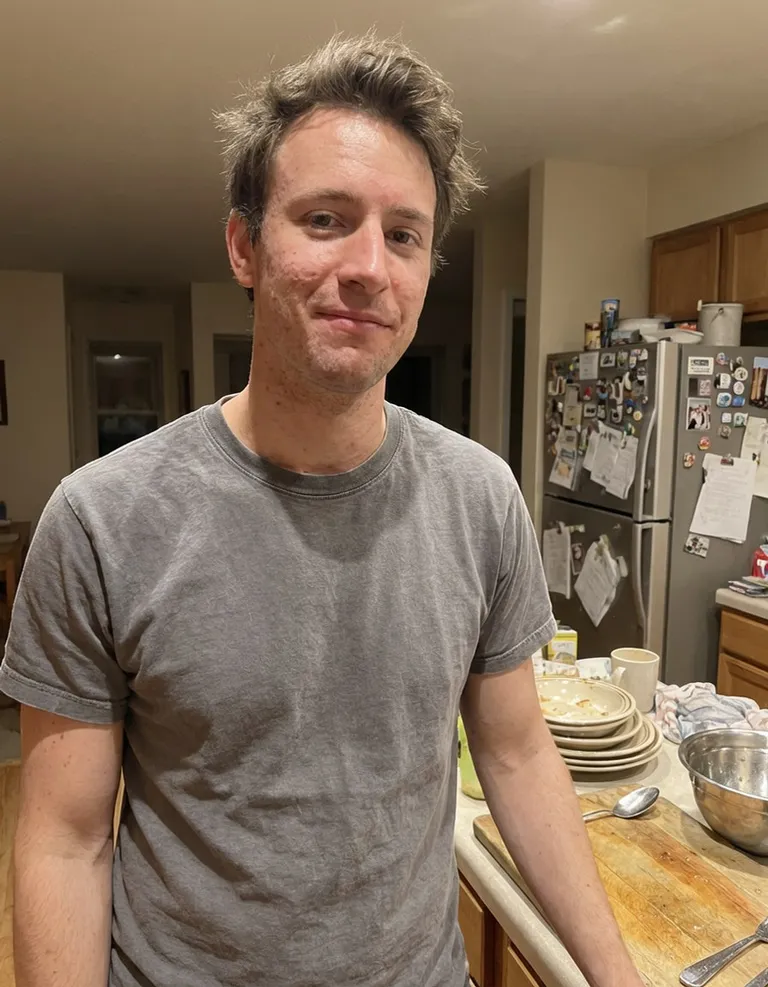
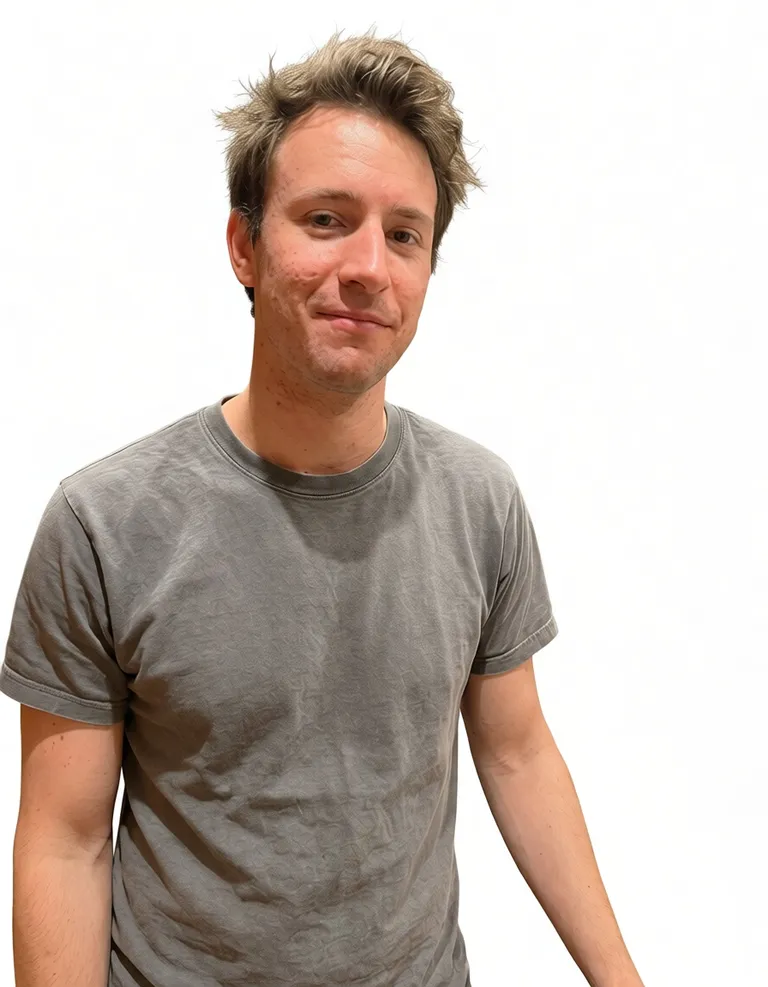
Keep the person, swap the place. No masking or selection tools needed.
Start with your original. Keep the result when it feels right.
Upload a photo with a clear main subject.
Choose a new background and the AI replaces it.
Download the photo with the new background.
The kitchen behind him became a clean white backdrop. His face, hair and T-shirt stayed the same.
A little more detail before you edit.
No. Upload the photo as it is. The AI finds the main subject and replaces everything around it.
Not yet. For now you pick from a set of backgrounds that tend to work well.
It works best for people, but simple product shots on a plain surface usually work too.